How to Buy from Taobao with OopBuy
Your complete 2026 step-by-step guide to buying from Taobao, Weidian & 1688 using OopBuy as your shopping agent
Introduction: What is Taobao and Why Use an Agent?
Taobao is China's largest online marketplace, operated by Alibaba Group. Think of it as the Chinese equivalent of Amazon or eBay, but on a much larger scale. With over one billion product listings ranging from clothing and electronics to home goods and collectibles, Taobao offers an incredible variety of products at extremely competitive prices. For international shoppers, Taobao represents a goldmine of affordable goods that simply cannot be found anywhere else.
However, there is a catch: Taobao is designed primarily for Chinese consumers. The entire website is in Mandarin Chinese, most sellers do not offer international shipping, and accepted payment methods are limited to Chinese options like Alipay. This is where a purchasing agent like OopBuy comes in. An agent acts as a middleman between you and the Chinese seller. You tell OopBuy what you want to buy, they purchase it on your behalf, receive the item at their warehouse in China, and then ship it directly to your doorstep anywhere in the world.
But Taobao is not the only marketplace you can shop from. Two other popular Chinese platforms are Weidian and 1688. Weidian is a mobile-first marketplace with many independent sellers and boutique shops offering unique products. 1688 (also owned by Alibaba) is a wholesale marketplace where you can find products at factory prices, often even cheaper than Taobao. The great news is that OopBuy supports all three platforms, so you can source products from Taobao, Weidian, and 1688 through a single agent account.
Why choose OopBuy over other agents? OopBuy stands out for several reasons: they offer a user-friendly interface available in English, competitive service fees, multiple international payment methods (including PayPal and credit cards), detailed quality check (QC) photos before shipping, a wide selection of shipping lines to keep costs low, and responsive customer support. Whether you are a first-time buyer or a seasoned shopper, OopBuy makes the entire process straightforward and reliable.
In this comprehensive guide, we will walk you through every single step of buying from Taobao (and Weidian and 1688) using OopBuy in 2026. By the end, you will be able to confidently place orders, review your items through QC photos, and ship your haul to your country at the best possible price. Let's get started!
Step 1: Create an OopBuy Account
Before you can start shopping, you need to create a free account on OopBuy. The registration process is quick and only takes a couple of minutes. Head over to the OopBuy website and click the sign-up button to get started.
Sign Up and Get a Coupon Bundle
By creating a new OopBuy account through our link, you will receive a welcome coupon bundle worth up to 1,000 CNY (approximately $135) in discounts on your first orders. This includes coupons for both product purchases and shipping fees.
Create Your OopBuy AccountDuring registration, you will need to provide your email address and create a password. You can also sign up using your Google account for a faster process. Once your account is created, you can log in and immediately start browsing. Make sure to verify your email address so you can receive order updates and tracking information. Take a moment to fill in your shipping address under your account settings as well, since you will need it later when submitting parcels for international shipping.
Step 2: Find Products to Buy
Now comes the fun part: finding products. There are several ways to discover items you want to buy. The easiest method for beginners is to use our curated OopBuy Spreadsheet , which contains over 3,000 hand-picked, high-quality products from trusted sellers. Each item has been vetted by the community, so you can shop with confidence knowing that the sellers are reliable and the products match their descriptions.
If you want to browse the Chinese marketplaces directly, here are the three main platforms you can use:
- 1.Taobao (taobao.com) — The largest marketplace with the widest product selection. Great for clothing, accessories, electronics, and general goods. Use Google Translate or your browser's built-in translation feature to navigate the site in your language.
- 2.Weidian (weidian.com) — A mobile-focused platform popular for niche and boutique items. Many independent sellers offer unique finds here. Weidian often has products that are not available on Taobao.
- 3.1688 (1688.com) — Alibaba's wholesale platform where goods are sold at factory prices. Ideal if you want the absolute lowest prices or are buying in larger quantities. Some sellers on 1688 have minimum order requirements, but many are happy to sell single units.
When searching on these platforms, try using Chinese keywords for the best results. You can translate your search terms using Google Translate. For example, searching for "运动鞋" (sneakers) will yield far more results than the English word. You can also search by pasting image URLs to find similar products, which is incredibly useful when you have seen a specific item and want to find it at a better price.
Step 3: Copy the Product Link
Once you have found a product you want to purchase on Taobao, Weidian, or 1688, the next step is to copy its URL (web address). This is how you will tell OopBuy exactly which product you want to buy.
On a desktop browser, simply click on the address bar at the top of your browser and copy the full URL. On mobile, tap the share button and select "Copy Link." The URL will typically look something like this:
Taobao: https://item.taobao.com/item.htm?id=123456789
Weidian: https://weidian.com/item.html?itemID=123456789
1688: https://detail.1688.com/offer/123456789.html
Make sure you are copying the link to a specific product page, not a search results page or a seller's store page. The link should contain an item ID number. If you are using our spreadsheet, you can click directly on the product link provided and it will be ready to paste into OopBuy.
Step 4: Paste the Link into OopBuy's Search Bar
Now go to the OopBuy website and look for the search bar at the top of the page. This search bar is designed to accept product links from Taobao, Weidian, and 1688. Simply paste the product URL you copied in the previous step and press Enter or click the search button.
OopBuy will automatically detect which platform the link is from and fetch the product details. Within a few seconds, you will see the product page loaded directly on OopBuy, complete with product images, a description, available options (such as size and color), and the price in Chinese Yuan (CNY). OopBuy will also display the approximate price converted to your local currency for convenience.
If the link does not load properly, double-check that you copied the full URL. Sometimes links get truncated when copying from mobile devices. You can also try removing any tracking parameters (the part after a question mark or ampersand that is not the item ID) to clean up the URL.
Step 5: Select Your Options (Size, Color, Quantity)
With the product page loaded on OopBuy, you now need to select your desired options. Most products will have several variants to choose from. Common options include:
- •Size — Pay close attention to the size chart provided by the seller. Chinese sizing often differs from Western sizing. Measure yourself and compare with the size chart rather than relying on your usual size label (S, M, L, etc.). Many sellers include measurements in centimeters for chest, waist, length, and other dimensions.
- •Color — Select your preferred color or style variant. The color names may be in Chinese, but OopBuy typically translates them for you. If in doubt, refer to the product images to identify which variant matches which color name.
- •Quantity — Set the number of units you want to purchase. Most buyers order one of each item, but you can order multiples if needed. Keep in mind that ordering more items in a single haul can help reduce your per-item shipping costs.
You can also leave a note or remark for the OopBuy purchasing agent. This is useful if you need to specify something that is not covered by the standard options, such as requesting a specific batch, asking the seller a question before buying, or requesting extra packaging for fragile items. The agent will read your note and act accordingly.
Step 6: Add to Cart and Checkout
After selecting your options, click the "Add to Cart" button. You can continue browsing and adding more products to your cart before proceeding to checkout. This is a great way to build up a haul with multiple items, which is more cost-effective for shipping since you can combine everything into one parcel.
When you are ready to place your order, go to your cart and review all the items. Double-check the sizes, colors, quantities, and prices. Make sure everything looks correct before proceeding. Then click "Submit Order" or "Checkout" to move to the payment stage. At this point, you are paying OopBuy for the cost of the products plus a small service fee. This is not the shipping cost to your country yet — that comes later after the items arrive at OopBuy's warehouse.
OopBuy's service fee is very competitive compared to other agents. The fee covers the purchasing service, receiving and storing items at their warehouse, and providing quality check photos. This transparent pricing model means there are no hidden charges.
Step 7: Pay for Your Order
OopBuy accepts a wide variety of international payment methods, making it easy for buyers from any country to complete their purchase. Here are the main payment options available:
- •PayPal — The most popular option for international buyers. PayPal offers buyer protection, easy currency conversion, and a familiar checkout experience. Simply select PayPal at checkout and log in to your PayPal account to authorize the payment.
- •Credit/Debit Card — Visa, Mastercard, and other major card networks are accepted. Payments are processed securely through encrypted payment gateways.
- •OopBuy Balance — You can top up your OopBuy wallet balance and use it for purchases. This can be convenient if you are a frequent buyer, as it speeds up the checkout process and can sometimes offer better exchange rates.
- •Other Methods — Depending on your region, OopBuy may support additional payment methods such as Wise (TransferWise), cryptocurrency, or local payment systems.
After payment is confirmed, OopBuy's purchasing team will place the order with the Chinese seller on your behalf. You can track the order status in real time through your OopBuy dashboard. The order will typically show statuses like "Purchased," "Seller Shipped," and "Arrived at Warehouse" as it progresses.
Step 8: Wait for Warehouse Arrival
After OopBuy places your order with the seller, the seller will ship the item to OopBuy's warehouse in China via domestic Chinese logistics. This domestic shipping step usually takes between 2 to 7 business days, depending on the seller's processing time and the logistics provider used.
During this waiting period, you can monitor your order status on your OopBuy dashboard. The status will update as the package moves through the domestic shipping network. Common statuses include:
- •Purchased — OopBuy has placed the order with the seller and payment has been sent.
- •Seller Shipped — The seller has dispatched the item and it is on its way to OopBuy's warehouse.
- •Arrived at Warehouse — The item has been received, inspected, and stored at OopBuy's warehouse. QC photos will be taken.
This is a good time to continue shopping and adding more items to your warehouse. Many experienced buyers will collect multiple items over a week or two before shipping everything together in one parcel. This approach is more economical because international shipping costs are largely determined by weight, and shipping one larger parcel is cheaper per item than shipping multiple small ones.
If an item takes longer than expected, do not worry. Some sellers take a few days to ship, especially during busy periods like Chinese holidays (such as Chinese New Year in January/February or the 11.11 shopping festival in November). You can contact OopBuy customer service if an item has not been shipped after 5-7 business days and they will follow up with the seller on your behalf.
Step 9: Review Your QC (Quality Check) Photos
One of the biggest advantages of using an agent like OopBuy is the quality check (QC) photo service. When your items arrive at OopBuy's warehouse, their team will take detailed photographs of each item and upload them to your account. These photos allow you to inspect the product before it is shipped internationally, giving you the opportunity to verify that you received the correct item, in the right size and color, and in acceptable condition.
QC photos typically include images of the item from multiple angles, close-ups of important details like logos and stitching, and sometimes measurements. Review these photos carefully. If something looks wrong — for example, the wrong size was sent, the color does not match, or there is a visible defect — you can request a return or exchange before the item is shipped to you. This saves you the hassle and cost of dealing with returns on international shipments.
For a detailed guide on how to make the most of QC photos, check out our OopBuy QC Photos Guide . It covers everything from requesting additional photos to understanding what to look for when inspecting different types of products.
Step 10: Choose Your Shipping Line and Declare
Once you are satisfied with your QC photos and ready to ship, it is time to select a shipping line and submit your international parcel. This is the final step before your items are on their way to your door.
Go to your OopBuy warehouse, select the items you want to include in your shipment, and click "Submit Parcel" (or a similar button). OopBuy will then present you with a list of available shipping lines along with estimated costs and delivery times. The best shipping line for you depends on your destination country, the weight of your parcel, and your budget.
Popular Shipping Line Recommendations:
- •UK — UK-Yodel or UK Royal Mail for fast and reliable delivery.
- •Europe — DHL tax-free lines for customs-friendly shipping.
- •USA — US Air LDT for a good balance of speed and cost.
- •Australia — EMS Line for reliable delivery.
After selecting your shipping line, you will need to declare the value of your parcel for customs. Declaration is the value you assign to the shipment, which customs authorities use to assess import duties. It is important to declare an appropriate value to avoid issues at customs. For detailed guidance on declaration, including country-specific thresholds, read our OopBuy Declaration Guide .
For comprehensive shipping line comparisons and tips on choosing the cheapest option for your country, visit our OopBuy Shipping Guide .
Once you have selected your shipping line, entered your declaration value, and confirmed your shipping address, submit the parcel. OopBuy will process your shipment, and you will receive a tracking number within 1-3 business days. You can use this tracking number to follow your parcel as it makes its way from China to your country. Depending on the shipping line, delivery typically takes between 7 to 25 days.
Tips for First-Time Buyers
If this is your first time buying from Taobao through an agent, here are some essential tips to make your experience smooth and enjoyable:
- 1.Start small. Place a small order of 2-3 items for your first haul. This lets you learn the process without risking a large amount of money. Once you are comfortable, you can scale up to bigger hauls.
- 2.Always check size charts. Never assume that your usual Western size will be the same in Chinese sizing. Measure yourself with a tape measure and compare your measurements to the seller's size chart. When in between sizes, it is usually safer to size up.
- 3.Read seller reviews. On Taobao and Weidian, you can see buyer reviews with photos. These real customer photos are often more representative of the actual product than the seller's listing photos.
- 4.Use our spreadsheet. The OopBuy Spreadsheet is the safest way to find products because every item has been vetted by the community. This significantly reduces the risk of receiving a poor-quality item.
- 5.Be patient. The entire process from placing an order to receiving your parcel can take 2-4 weeks. Domestic shipping to the warehouse takes a few days, and international shipping takes 1-3 weeks depending on your shipping line and destination.
- 6.Review QC photos carefully. Take your time inspecting the photos OopBuy provides. If something does not look right, request additional photos or a return before shipping internationally.
- 7.Consolidate your shipments. Shipping costs are based primarily on weight. It is much more cost-effective to ship 5-10 items in one parcel than to ship each item individually. Build up your warehouse inventory before submitting a parcel.
- 8.Keep track of your budget. It is easy to get excited and add many items to your cart. Set a budget before you start shopping and stick to it. Remember to account for shipping costs in your total budget.
How to Save Money on Your OopBuy Orders
One of the main reasons people shop through agents is to save money, and there are several strategies you can use to maximize your savings:
- •Use coupons. OopBuy regularly offers coupon codes and promotional discounts. New users receive a welcome coupon bundle, and there are often seasonal promotions. Check our OopBuy Coupons Guide for the latest active coupons and how to apply them.
- •Check our deals page. Visit our Deals page for curated discounts and special offers from sellers on Taobao, Weidian, and 1688.
- •Shop from 1688. Products on 1688 are typically 20-50% cheaper than on Taobao because 1688 is a wholesale platform. If you find the same product on both Taobao and 1688, the 1688 version is almost always cheaper.
- •Consolidate shipments. As mentioned earlier, shipping costs per item decrease as your parcel gets heavier. Aim for hauls of at least 3-5 kg to get the best value on shipping.
- •Remove unnecessary packaging. When submitting your parcel, OopBuy often gives you the option to remove shoe boxes and excess packaging. This reduces the weight and dimensions of your shipment, directly lowering the shipping cost.
- •Compare shipping lines. Different shipping lines have different pricing structures. Always compare the estimated costs before selecting one. Sometimes a slightly slower line can save you a significant amount of money.
Frequently Asked Questions
Is it safe to buy from Taobao using OopBuy?
Yes, it is safe. OopBuy acts as a trusted intermediary between you and the Chinese seller. They handle the payment, receive the goods at their warehouse, provide QC photos for inspection, and ship the items to you. If there is an issue with a product (wrong item, defect, etc.), OopBuy can arrange a return or exchange with the seller before the item is shipped to you internationally. Additionally, OopBuy accepts PayPal, which provides an extra layer of buyer protection.
How long does the entire process take from ordering to delivery?
The total time from placing your order to receiving your parcel is typically 2 to 4 weeks. This breaks down as follows: 1-3 days for OopBuy to purchase the item, 2-7 days for domestic shipping to OopBuy's warehouse, 1-2 days for QC photos and processing, and 7-25 days for international shipping depending on the shipping line and destination country. Express shipping lines can deliver in as little as 5-7 days internationally, while economy lines may take up to 30 days.
Can I return items if I am not satisfied?
Yes, you can return items while they are still at OopBuy's warehouse (before international shipping). If the QC photos reveal a problem — such as a defect, wrong size, or wrong color — you can request a return through your OopBuy dashboard. OopBuy will coordinate the return with the Chinese seller. Most sellers on Taobao accept returns within 7 days. However, once the item has been shipped internationally, returns become much more difficult and expensive, which is why reviewing QC photos carefully is so important.
How much does shipping cost with OopBuy?
Shipping costs vary depending on the weight of your parcel, the destination country, and the shipping line you choose. As a rough estimate, shipping a 3-5 kg parcel to the US or UK typically costs between $30 and $80. Economy lines are cheaper but slower, while express lines cost more but deliver faster. You can get an exact shipping estimate on OopBuy's website by entering your parcel weight and destination before submitting. Check our Shipping Guide for detailed comparisons.
Do I have to pay customs duties or import taxes?
This depends on your country's customs regulations and the declared value of your parcel. Many countries have a duty-free threshold below which no import taxes are charged. For example, the UK threshold is approximately $17.90, the US threshold is $800, and Canada's is around $14 CAD. By declaring your parcel value under the threshold for your country, you can often avoid customs duties entirely. For specific guidelines for your country, read our Declaration Guide .
Conclusion
Buying from Taobao, Weidian, and 1688 through OopBuy is a straightforward process once you understand the steps involved. From creating your account and finding products, to reviewing QC photos and choosing the right shipping line, each step is designed to give you control and transparency over your purchase.
Remember to use our OopBuy Spreadsheet to find vetted products from trusted sellers, and take advantage of coupons and deals to save money on every order. If you have any questions along the way, OopBuy's customer service team is always ready to help.
Happy shopping! Enjoy exploring everything that Taobao, Weidian, and 1688 have to offer through OopBuy.
Ready to Start Shopping with OopBuy?
Sign up now and get a ¥3,000 coupon bundle + 15% off shipping on your first order. Join 200,000+ happy customers worldwide.
Related Articles
OopBuy Shipping Guide
Complete guide to OopBuy shipping lines for every country.
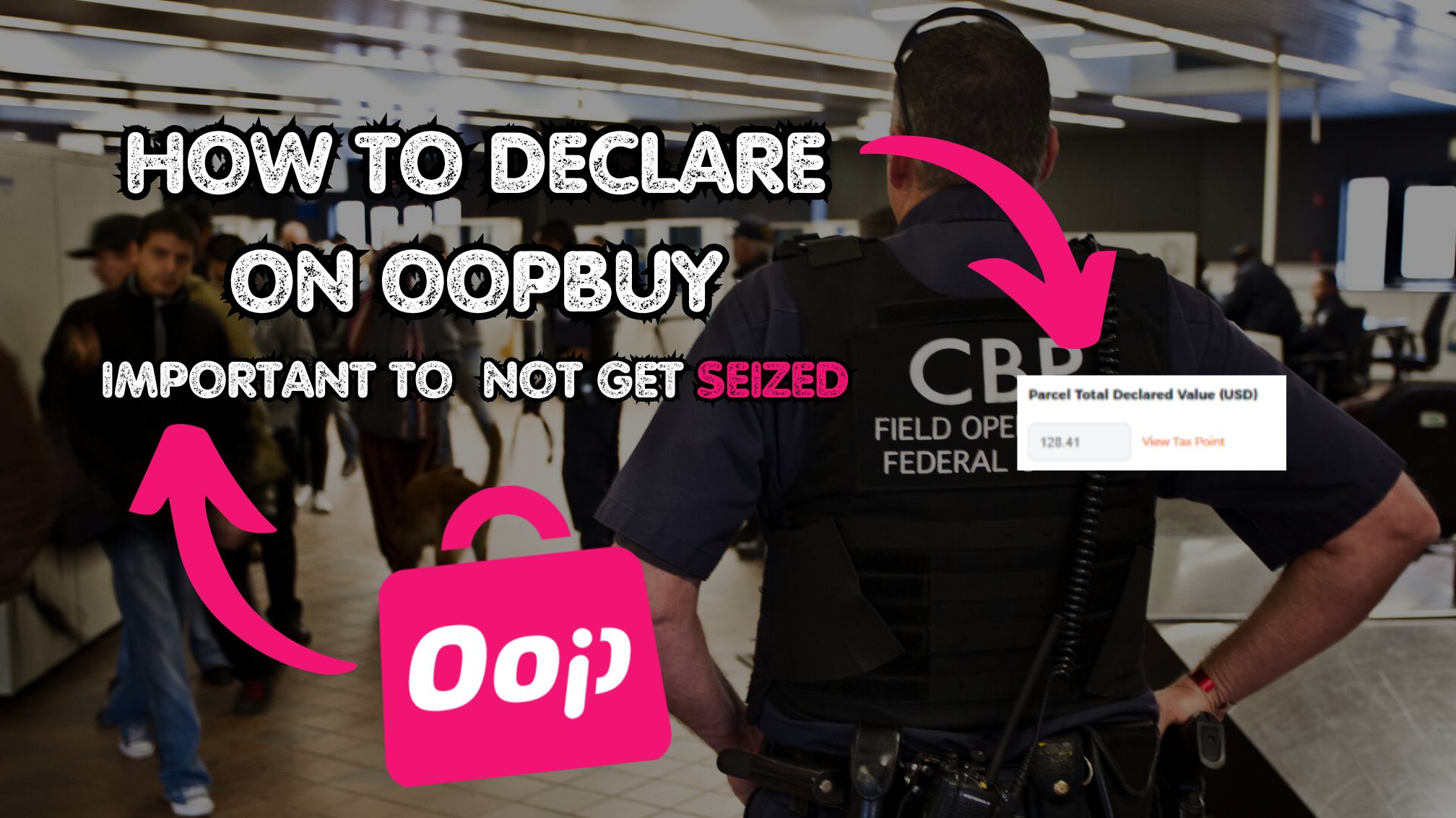
How to Declare on OopBuy
Country-specific declaration guidelines to avoid customs fees.

OopBuy QC Photos Guide
How to request, review and use quality check photos on OopBuy.
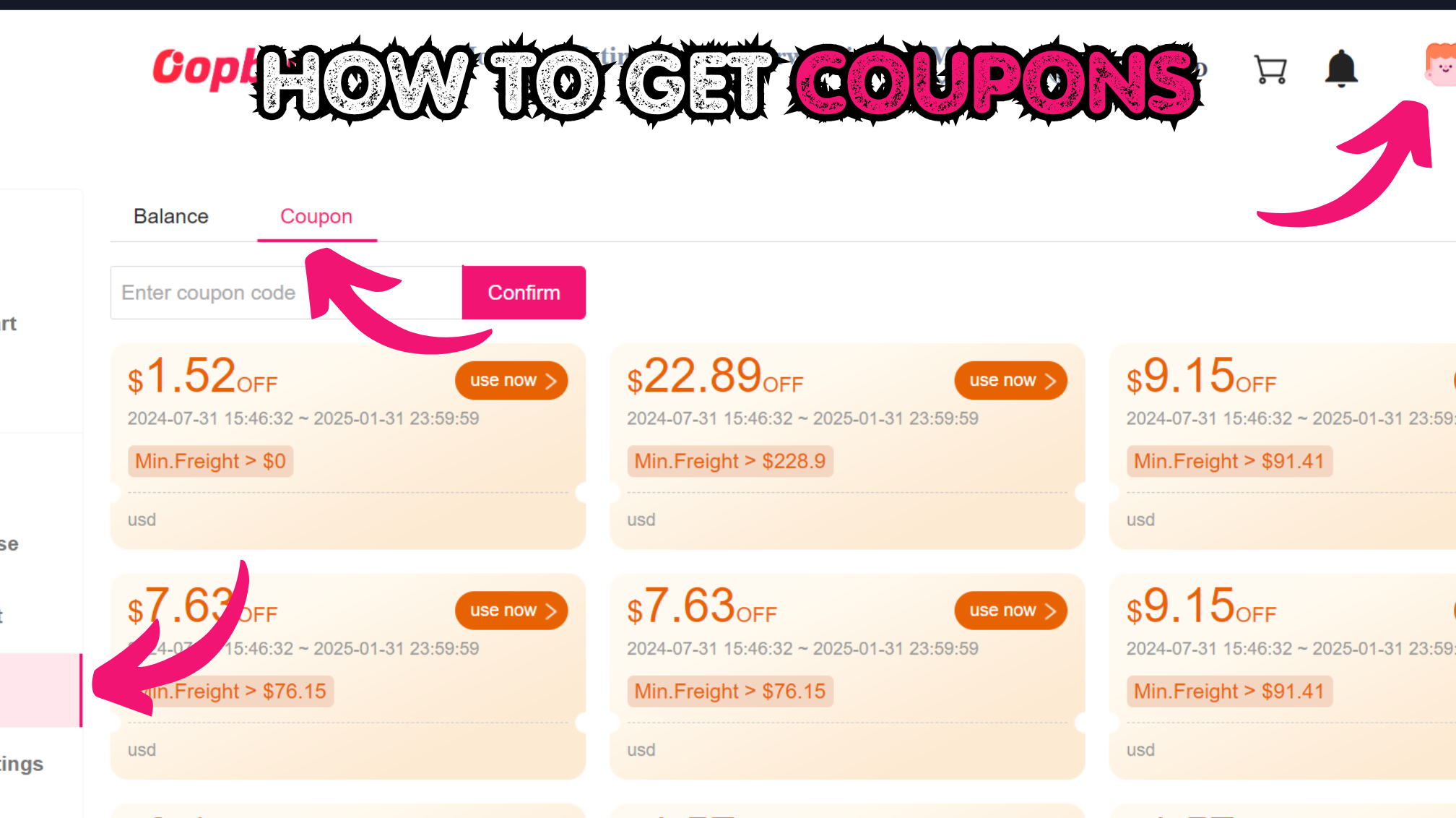
OopBuy Coupons Guide
How to find and use OopBuy coupon codes to save money.